Course Registration - Hanyang University
Course Registration
Course Registration for Foreign Students
1) Course Registration Site
: Course registration is conducted through a separate website. (https://portal.hanyang.ac.kr/sugang/sulg.do)
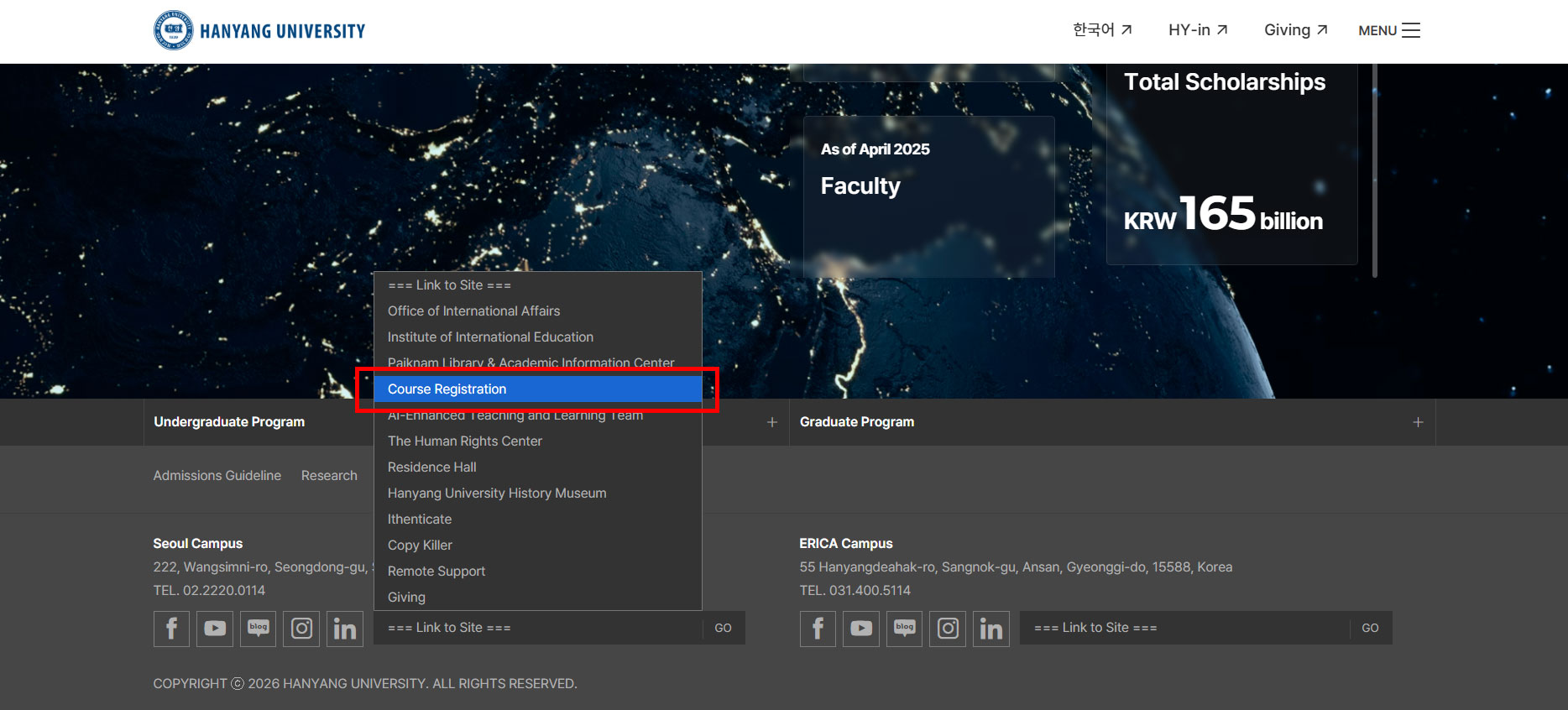
The course registration system can be accessed by clicking the Course Registration banner on the Hanyang University homepage(www.hanyang.ac.kr) or by selecting “Course Registration” on the right-center area of the HY-in login page.
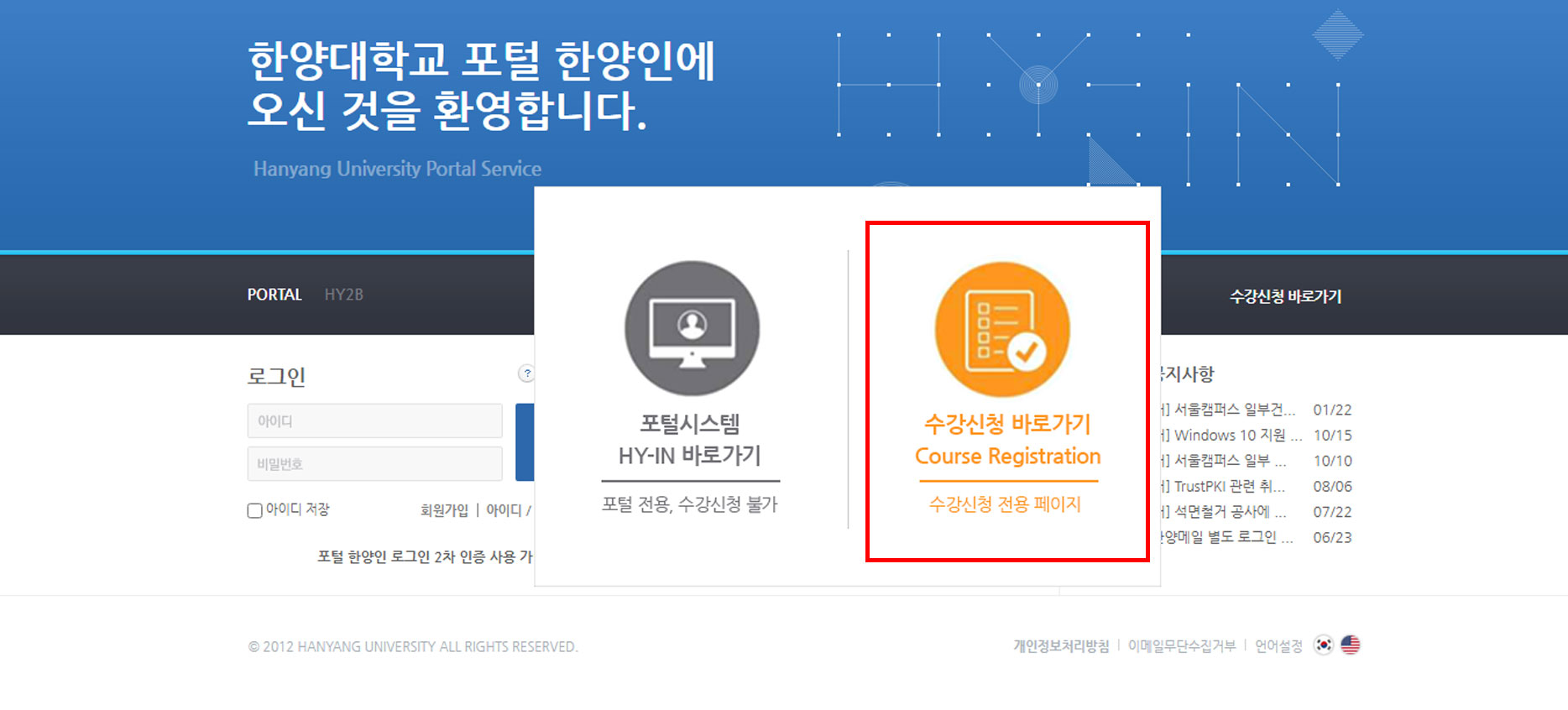
During the course registration period, a pop-up window linking directly to the course registration system will appear when accessing the HY-in login page.
2) Enter your ID(student number) and PASSWORD(Registration Number)
- Please note that your initial password which is your Foreign Resident Registration Number(FRN) MUST be changed to your own password to protect your personal information.
- Those who cannot log on to HY-in or don't have their Foreign Resident Registration Number(FRN), password is set as follows:
For male students: Birthdate(YYMMDD)+7000000
For female students : Birthdate(YYMMDD)+8000000
** For more detailed information, please refer to the email provided by the Office of International Admissions. **
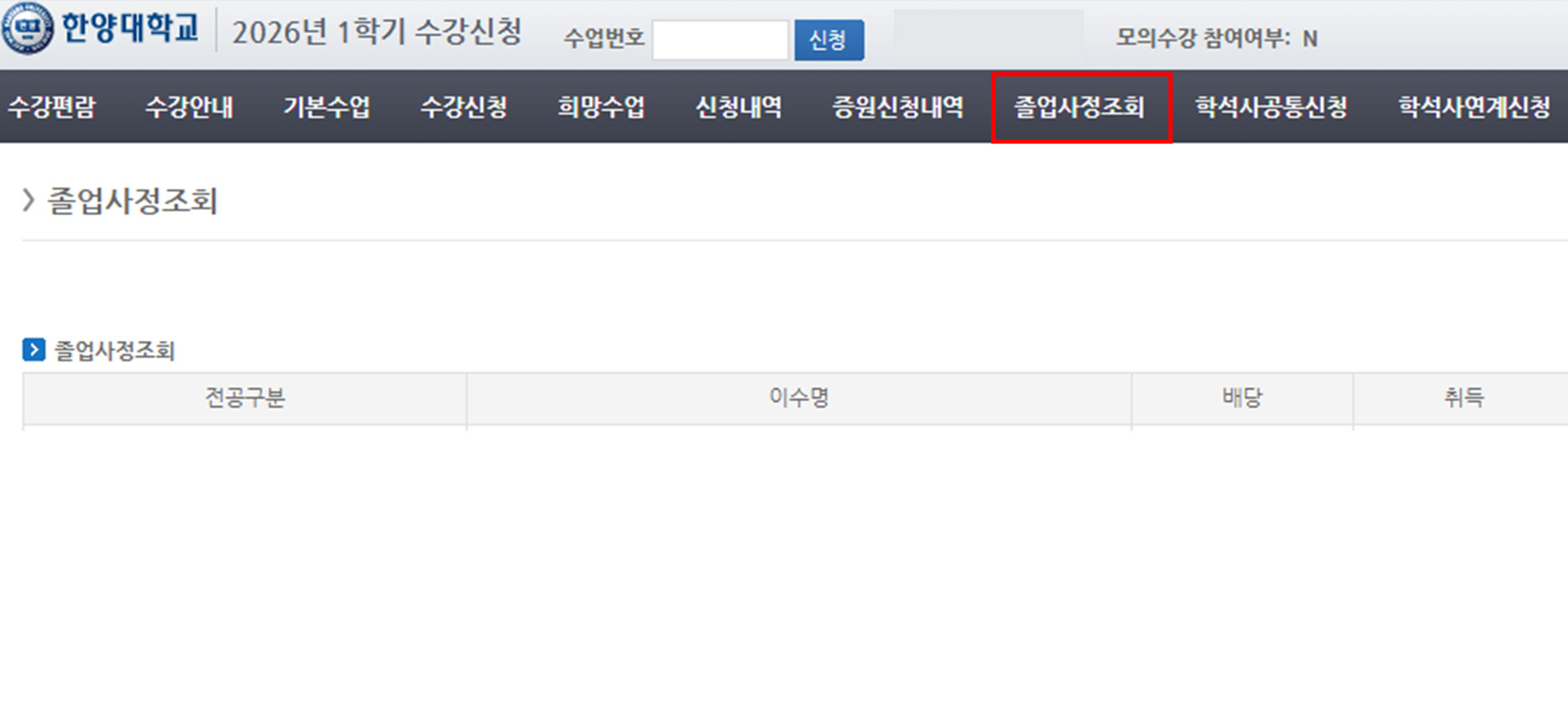
3) Before register, click on “졸업사정조회(reference of graduation requirement)” to check which courses you need to take for graduation.
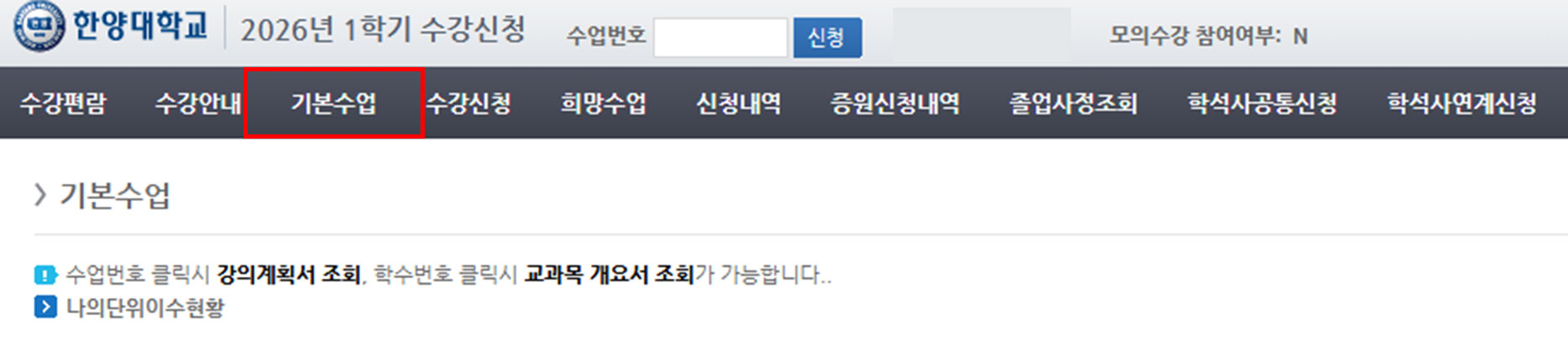
4) Click on “기본수업(general required courses)” to see the list of the classes you are required to take in current academical year.
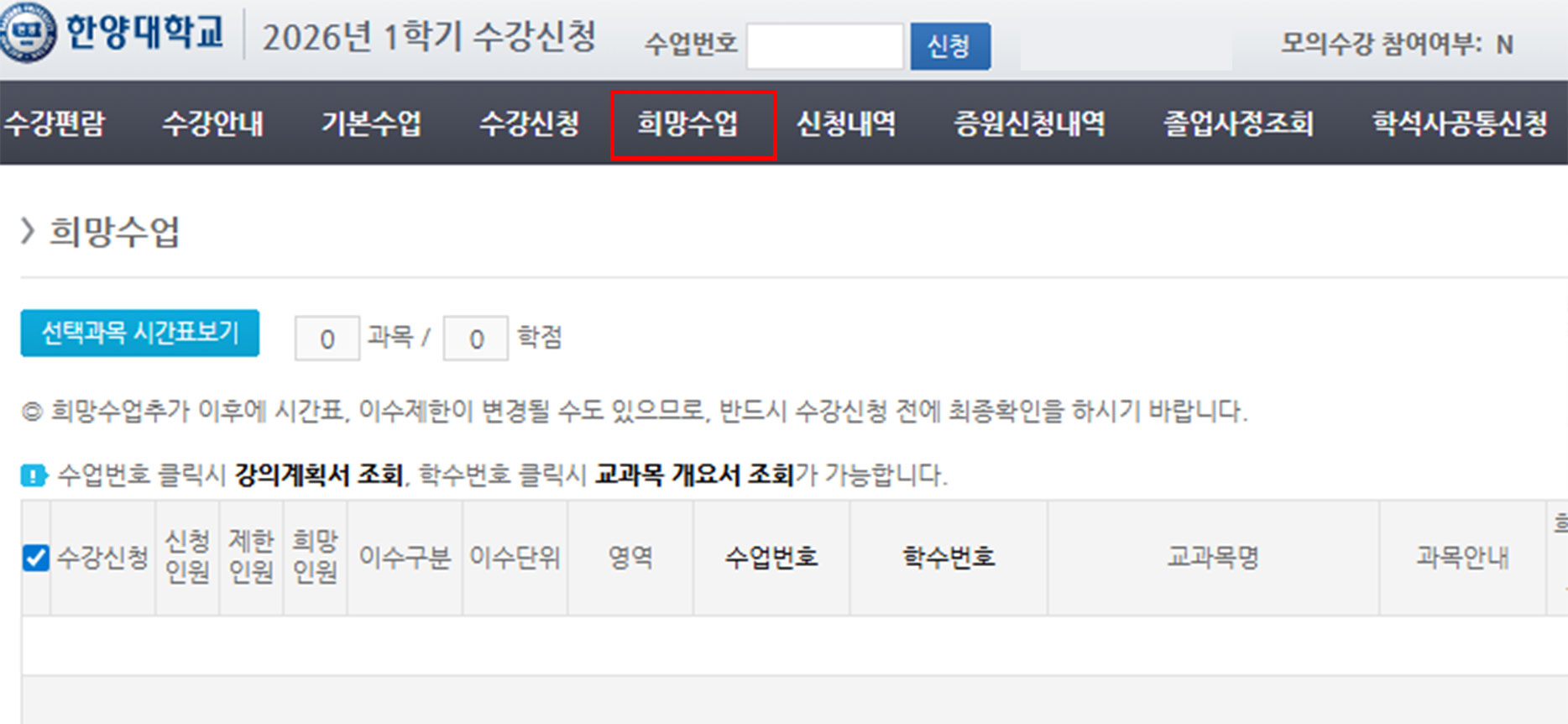
5) Click on “희망수업(pre-registration for interesting course)” 메뉴 to pre-register the courses you want to take.
* Note : It’s a trial, so you have to do the actual registration regardless of the pre-registration
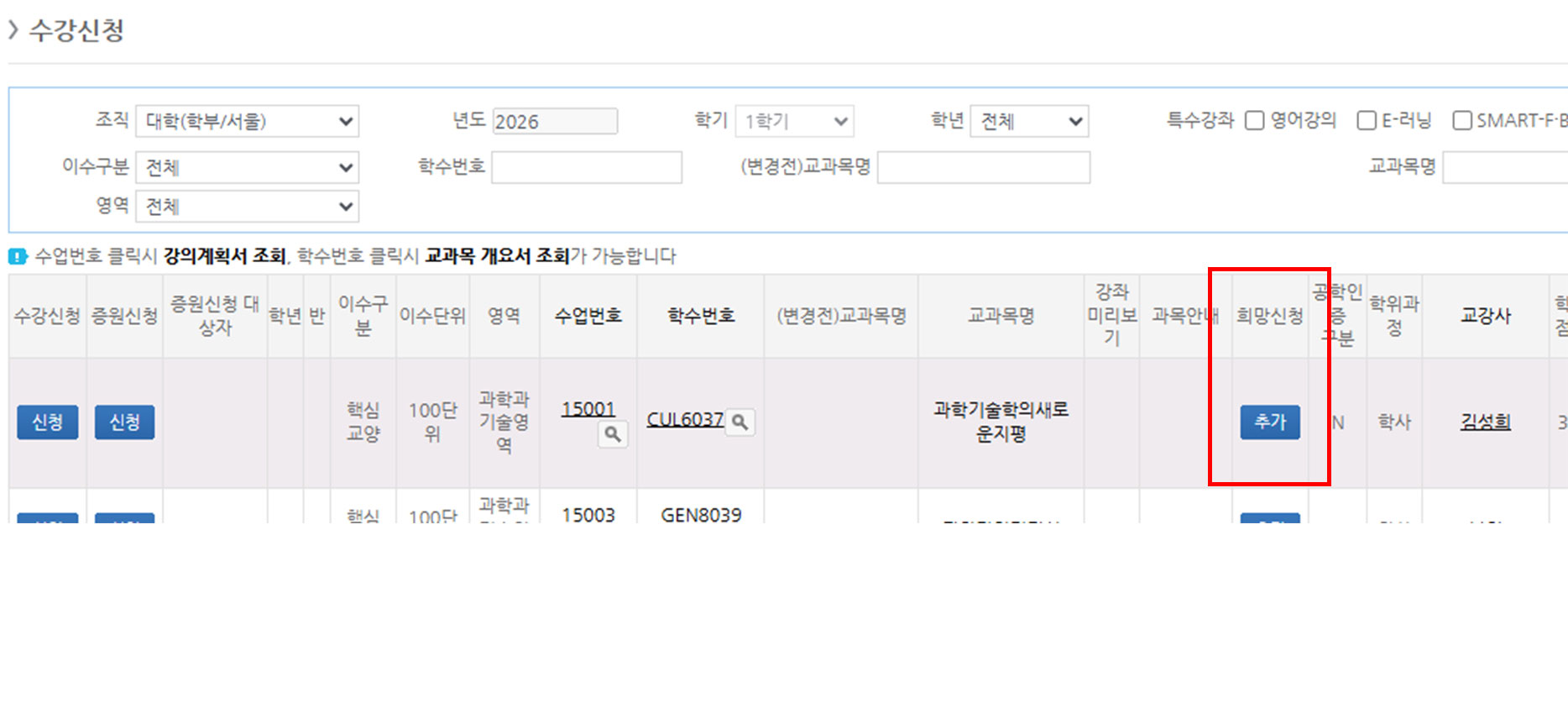
6) Click on “수강신청(Course registration)” menu
▶ Registration for Major course (전공신청)
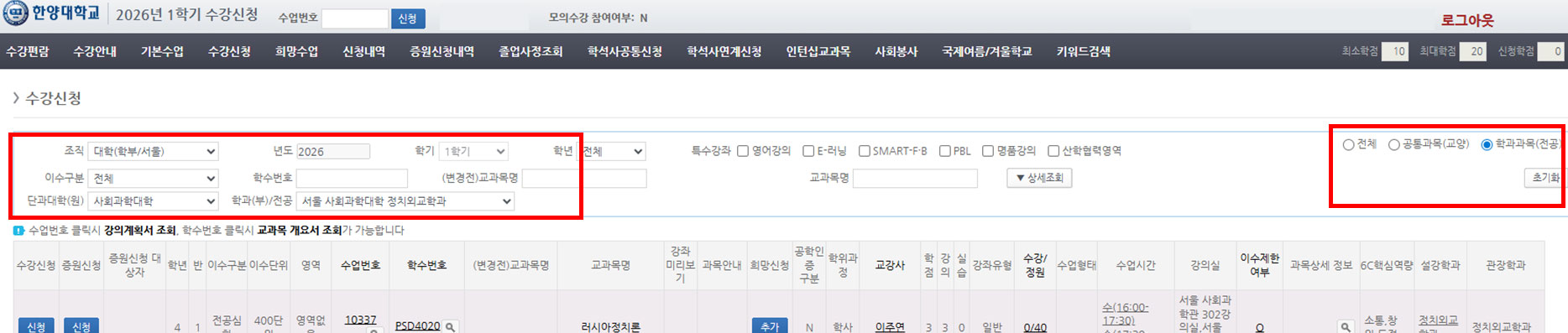
(1) Click on the button “수강신청(Course registration)” and select “학과과목(전공) Course(Major)” on the right side
(2) Select your department and major → click on the button “조회(search)” → click on the “신청(register)” button of the course you want to take
=> You can see the notice box said “The register is succeeded”
(3) Click on “신청내역(confirmation of course registration)" to check out the list of classes you have registered
▶ Registration for General elective course (교양신청)
(1) Click on the button “수강신청(Course registration)” and select “공통과목(교양) General elective course”
(2) Select any field you want and click on the button “조회(search)” → click on the “신청(register)” button of the course you want to take
(The method to check the confirmation of course registration is the same with Major Course registration)
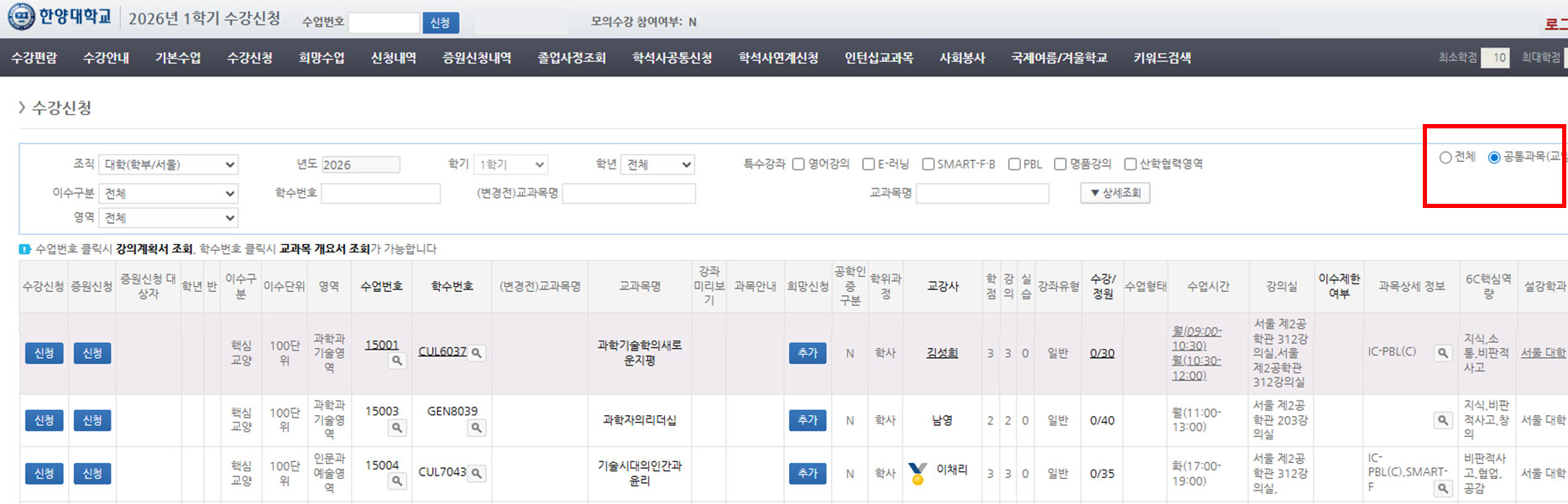
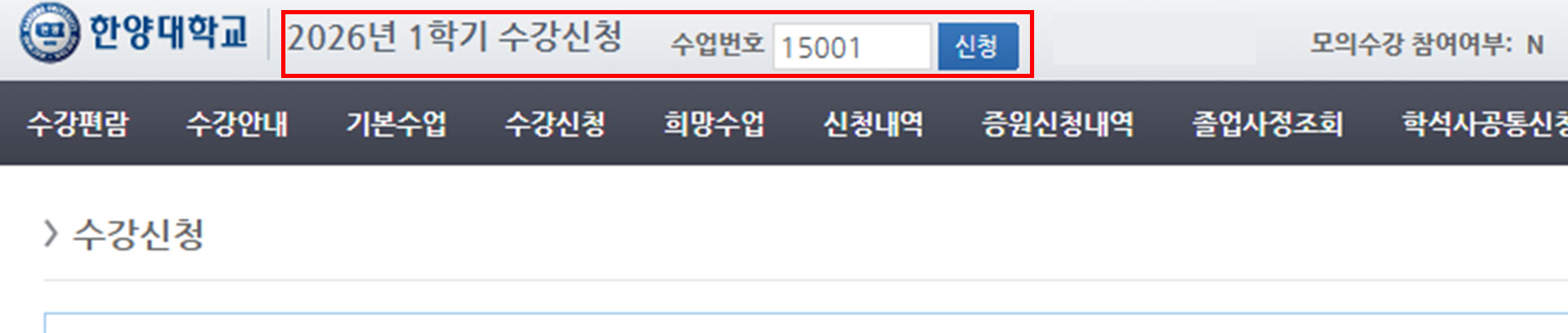
7) You can register a course easily by entering the course code and click “신청 (register)” button